DekkR
You've got the taste. DekkR's got the technique.
DekkR is a DJ mixing app that runs entirely in your browser.
Prepare a set, play a party with friends, or simply run your collection like a DJ — right from your browser.
Taste is the one thing nobody can do for you. Everything else, we can.
No install. One address, and you're mixing.
Your music, wherever it lives
Nothing to install. DekkR runs in your browser: no software, no license.
On your computer — even offline
Open your music folder: DekkR plays your files straight from your disk. Once you've opened DekkR one time, it works offline: no Wi-Fi at the back of the venue, no problem.
In the cloud — from any computer
Keep your collection on your Google Drive. At a friend's place, on the party laptop: open DekkR, connect your Drive, and your tracks are there. A computer and a connection, that's it.
Analyzed once, ready everywhere. BPM, beatgrid and key are computed once, and follow you from one computer to the next with your DekkR account.
One app, many moments
At home, digging through your collection
Hear what flows from the track that's playing, sort your crate, prepare your next set. No pressure, at your own pace.
Drinks or a party with friends
Start the automix: tracks blend on their own, beatmatched and on time. And run everything from your phone with the remote — cue up what's next, ride a filter, save a transition you loved — without being stuck behind the laptop.
Learning to mix
Start on full auto, listen to how DekkR blends, then take the moves back one by one: picking the track, timing the transition, the EQ, the tempo.
Playing at someone else's place
A browser and a connection are all you need. Your crate comes with you.
Always in key
For every track, DekkR suggests the ones that truly flow: compatible key on the Camelot wheel, close tempo, similar style.
You can even ask it to move the mix up or down the wheel, so it keeps going somewhere instead of circling the same key.
Your mix stays harmonic — no music theory required.
Your library learns with you
DekkR keeps track of your sets. Every blend you play is logged, with nothing for you to do.
A ♥ on the transitions that work. In the moment, or the next day while looking back at your set.
On show day, they're right there. Your loved transitions rise to the top of the suggestions. And they follow the track, not the file: switching versions won't erase them.
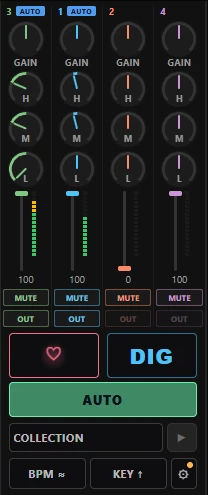
The more you listen to your collection, the better it knows you.
Your hours of digging become instincts you bring to the party.
What other DJs blend
To discover. Next to your collection, DekkR shows tracks you don't have yet, played after the one you're on in real sets — with a link to listen.
Transitions loved by others. Spot at a glance the blends "loved by N DJs": the ones that have already proven themselves.
Sharing, only if you want it. Your ♥ stay yours. If you choose to share them, they count anonymously for others — and you're the one who turns it on.
Playing on the club's gear?
Selecta, on your phone. The club's decks aren't connected to DekkR? No problem. Before you leave, DekkR reads what's on your USB sticks. At the venue, tell your phone which track is playing, and DekkR suggests what's next — only tracks that are on your sticks, with the same key, tempo and ♥ logic.
It even works offline.
What sets DekkR apart
Compared with classic DJ software
It's built for people who already know how to beatmatch. DekkR blends for you, in sync and on time — and you take back control whenever you want, one move at a time.
Compared with auto-DJs
They play a playlist for you. DekkR picks what's next with you: the Camelot wheel, your ♥, what other DJs blend. The crate stays yours.
Compared with software you install
DekkR is an address. Your music on your computer, even offline, or on your Drive from any computer.
Three steps, at your own pace
1. Let it play
Open your music folder or your Drive and turn on the automix. DekkR analyzes and blends.
2. Pick what's next
You choose the next track from the suggestions. DekkR handles the transition.
3. Take the controls
Transitions, EQ, loops, effects, MIDI controller: take back whatever you want, whenever you want.
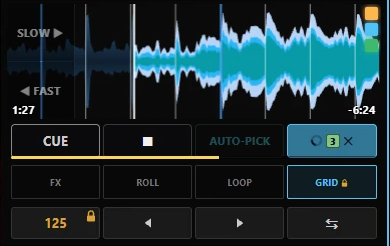
Automation is a default comfort, never a cage.
Why DekkR asks for Google Drive access
Your crate doesn't have to live on the machine you're playing on. DekkR can copy your tracks to your Google Drive, or play the Drive files you pick yourself, so the same collection follows you from one computer to the next.
Only the files you hand over. DekkR requests the drive.file scope: it
sees only the files you choose in the Google picker and the copies it made for you in a
DekkR folder — never the rest of your Drive. It never modifies or deletes
any other file.
Analysis runs in your browser. BPM, grid and key are computed locally, on your machine. Your audio files are not uploaded to a DekkR server.
The access token is kept in memory only. It is never written to disk, and it is gone when you close the tab. Disconnecting Drive in DekkR makes it forget the token immediately. To withdraw the authorization itself, use your Google Account permissions.
What DekkR stores, and what it sends to third parties, is listed in full in the privacy policy.